Settings
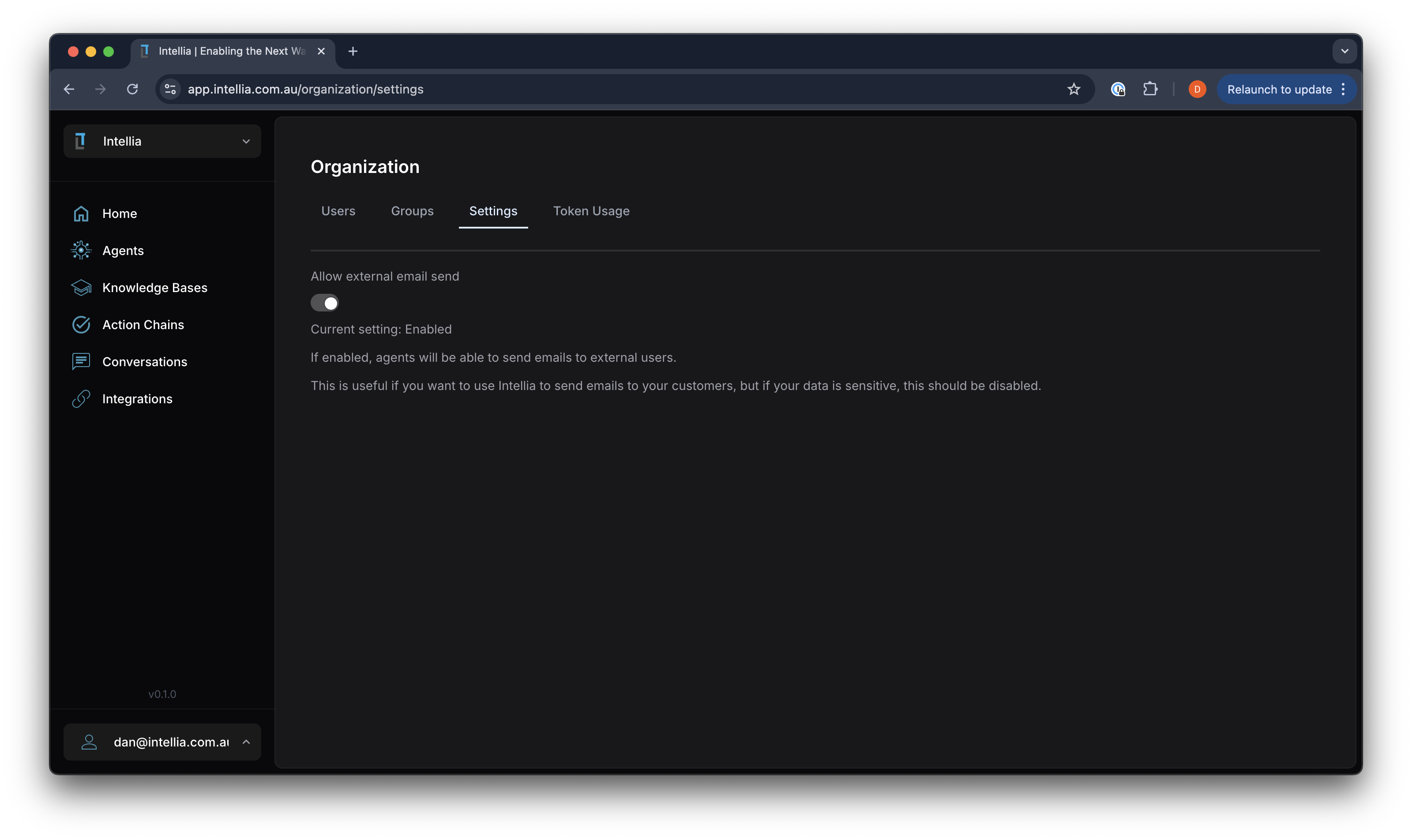
Accessible via: Main Menu -> [Organization Name] -> Organization Settings -> Settings
The Organization Settings allow you to configure key aspects of your Intellia platform to suit your organization’s needs.
Workspace URL Slug
- Workspace URL Slug: A URL-friendly identifier for your organization, used in your app URLs and your Sammy address. Only the organization owner can edit it. It must be globally unique — if another organization already uses the slug you choose, you’ll be asked to pick a different one.
Email Settings
- Allow External Email Send: This toggle controls whether agents can send emails to external users.
- Enabled: Agents will be able to send emails to external recipients. This is useful for customer communications.
- Disabled: Restricts email sending to internal users only, enhancing security for sensitive data.
Considerations
- Security: If your organization handles sensitive information, it is recommended to keep external email sending disabled to prevent data exposure.
- Communication Needs: Enable external email sending if your organization requires agents to interact with customers or external stakeholders via email.
These settings help you manage communication capabilities while maintaining control over data security and access.